The Assigned Tasks tab is located on the View User page and is accessed by clicking the hyperlink of the user account Email field.
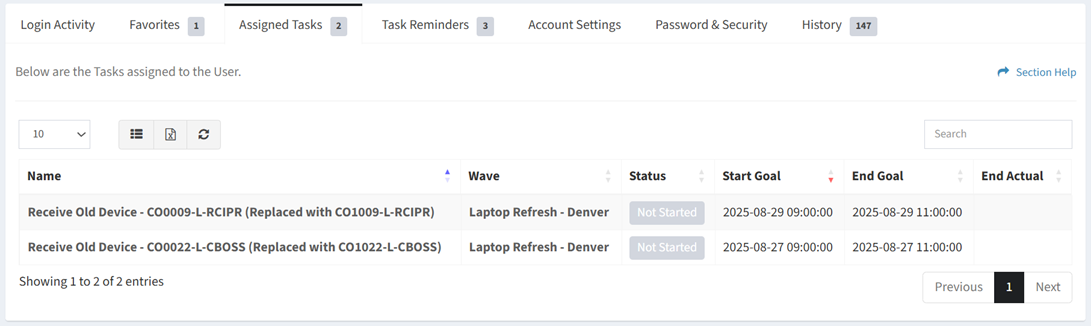
Available operations:
- View a list of tasks assigned to a user
- Columns available
- Id (hidden by default) – System Id of the task (used for Orchestration Import updates to existing tasks – to match task to be updated)
- Name – Name of the task
- Wave – Name of the wave the task was assigned to
- Status – Status of the task (Not Started, In Progress, Complete, Overdue, Failed)
- Start Goal – Estimated start of the task
- End Goal – Estimated end of the task
- End Actual – Actual end of the task (empty until the task is completed)
- View the properties of tasks by clicking the hyperlink of the Name field
- View the properties of the wave that tasks are assigned to by clicking the hyperlink of the Wave field
- You can also change the number of visible rows in the table, set column visibility, export to CSV or Excel, refresh the table, and search for text