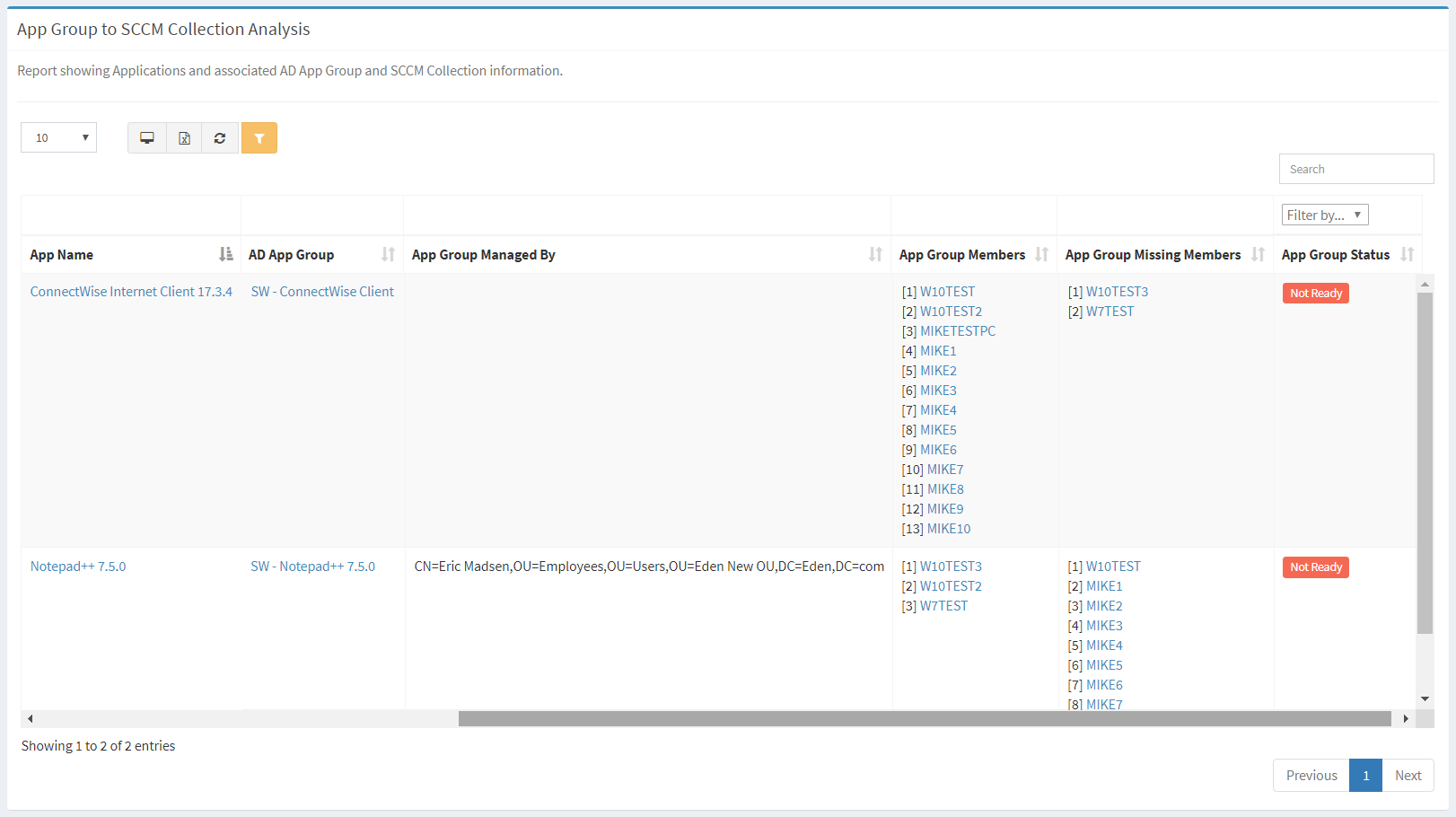
The App Group to SCCM Collection Analysis report shows Applications and associated AD App Group and SCCM Collection information.
| Data Types | Required Fields |
| Application | Name, App Status, SCCM Package |
| AD App Group | Name, Managed By |
| SCCM Package | Name, SCCM Collection, AD App Group |
Available operations:
- View a list of applications and associated AD group and SCCM collection information
- Columns available
- App Name – Name of the application
- App Status – Status of the application
- Filter by status names or Undefined (no app status)
- SCCM Package – Name of the SCCM package mapped to the application
- SCCM Collection – Name of the SCCM collection mapped to the SCCM package
- AD App Group – Name of the AD app group the application belongs to
- App Group Managed By – AD app group Managed By column
- App Group Members – Computers that are members of the AD app group
- App Group Missing Members – Computers that have the application installed (linked) but are not member of the SCCM collection or AD app group
- App Group Status – Readiness status of the app group (Ready, Not Ready)
- Filter by Ready or Not Ready
- You can also change the number of visible rows in the table, view full screen, export to CSV or Excel, refresh the table, and search for text