From the Migrations page, you can create VirtualReady migrations. To create:
- Click the New Migration button to bring up the New Migration dialog
- Enter the properties of the new migration
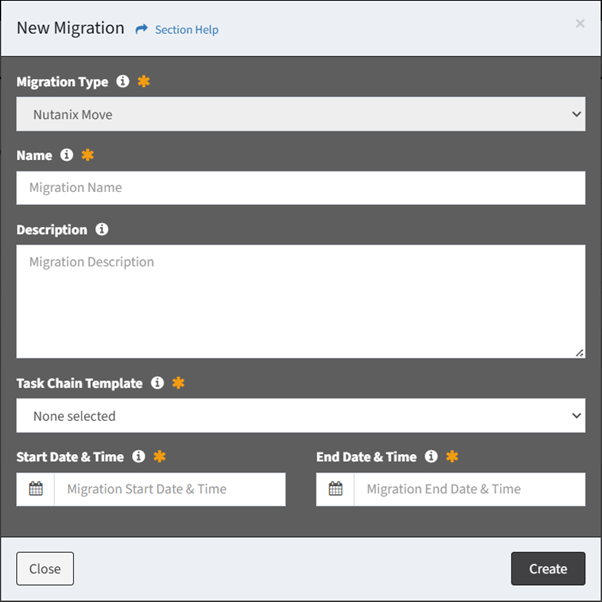
- Migration Type – Assign a migration type to the migration (required)
NOTE: Nutanix Move is the only migration type currently supported. - Name – Name of the migration (required)
- Description – Description of the migration (optional)
- Task Chain Template – Select the task chain template to load into the migration (required)
- Start Date & Time – Select the start goal of the migration (required)
- End Date & Time – Select the end goal of the migration (required)
NOTE: The end goal is populated with the minimum duration of the migration. The minimum duration is determined by the selected Task Chain Template. The default migration template is Move Migration.
- Click the Create button when finished to create the migration. You will be redirected back to the Migrations page. Click the Close button to cancel the operation.
- The new migration function is only available to users in the Administrator security group