The Asset Uninstall/Deco tab provides the ability to enable access to Asset Uninstall/Deco.

Available operations:
Asset Uninstall/Deco
From the Asset Uninstall/Deco tab, you can enable access for asset uninstall/deco.

Available operations with View and Create access (requires Assets Create):
- Uninstall/decommission assets (requires Ready for Disposal Create to uninstall assets into a Ready for Disposal project)
Select All
From the Asset Uninstall/Deco tab, you can select all or deselect all permissions for asset uninstall/deco.
- From the
 menu in the upper right corner, check Select All to check (enable) all permissions on the tab.
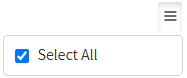
- Uncheck Select All to uncheck (remove) all permissions on the tab.
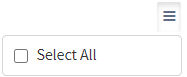
Ignore
From the Asset Uninstall/Deco tab, you can ignore asset uninstall/deco permissions from this security group by selecting Ignore. This option is used when overlaying multiple security groups and asset uninstall/deco permissions are set by a different security group. Not enabling permissions on the Asset Uninstall/Deco tab, without selecting Ignore, results in no access, as overlaid security groups assume the most restrictive permissions.
