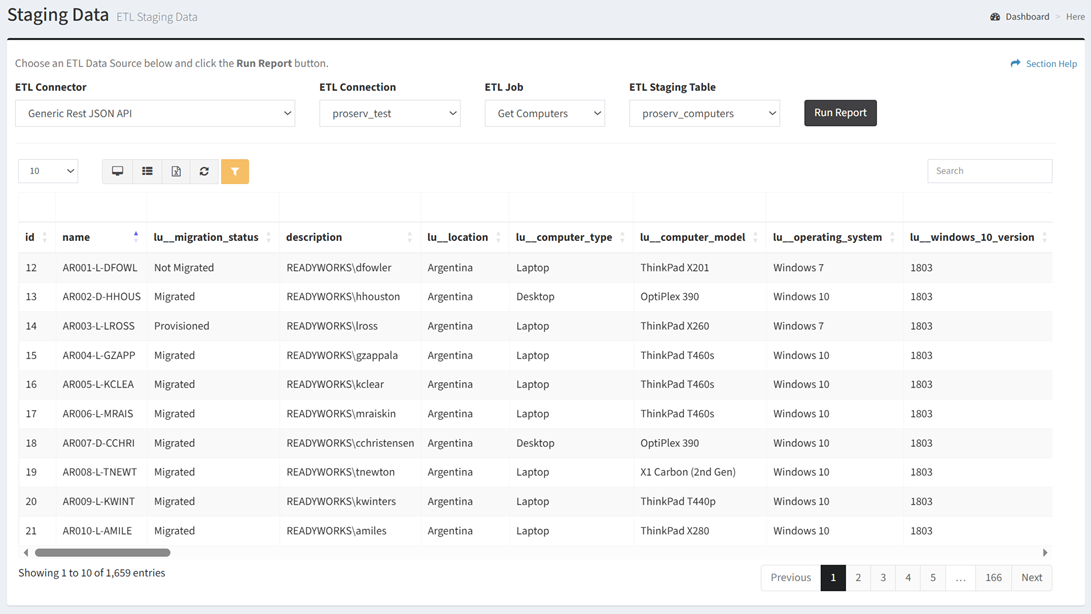
From the Staging Data page, you can view staging data. To view:
- Select the connector of the data source from the ETL Connector drop down
- Select the connection of the data source from the ETL Connection drop down
- Select the job of the data source from the ETL Job drop down
- Select the staging table of the data source from the ETL Staging Table drop down
- Click the Run Report button