The Security Group Properties tab provides the ability to view and update the properties of security groups.
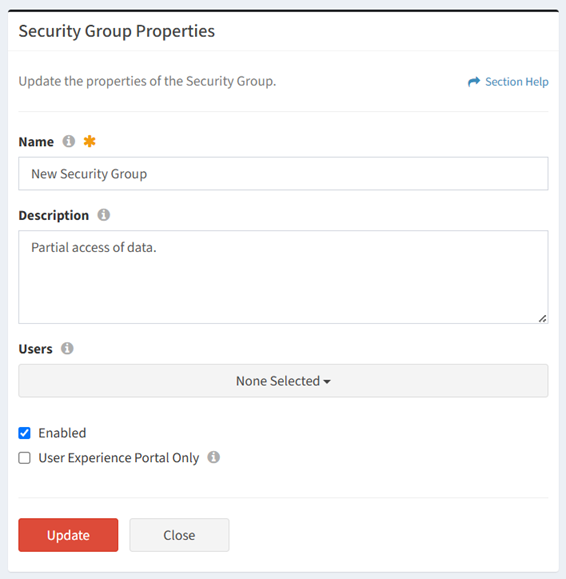
Available operations:
- View and update the properties of the security group (not a separate view and edit page)
- Fields available (view/edit)
- Name – Name of the security group (required)
- Description – Description of the security group (optional)
- Users – Assign the security group to a ReadyWorks user (optional).
- Enabled – Choose if the security group is enabled (optional)
- User Experience Portal Only – Choose if the ReadyWorks users assigned to the security group can only access the User Experience portal (optional)
NOTE: Members of a User Experience Portal Only security group are not authorized to log in to ReadyWorks.
- Click the Update button to save any changes to the properties
- Click the Close button to exit the wizard