From the Notifications page, you can create copy the latest notification. To copy:
- Click the Copy Latest EULA button to bring up the Create EULA page
- Enter the properties of the copied notification
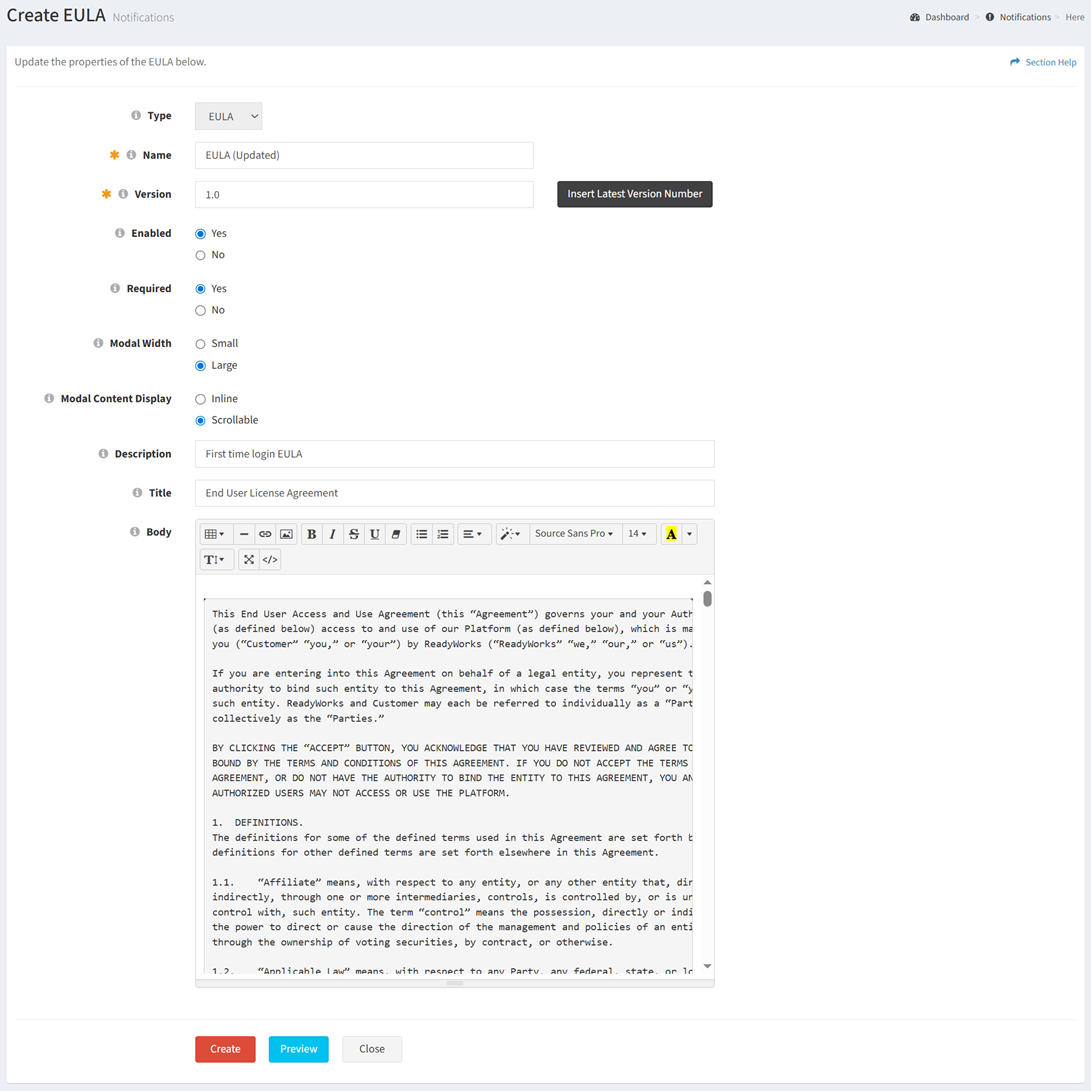
- Type – Type of the notification (EULA) (required)
- Name – Name of the notification (required)
- Version – Version of the notification (required)
- Click the Insert Latest Version Number button to insert the latest version number
- Enabled – Choose if the notification is enabled or disabled (required)
- Required – Choose if the notification is required (required)
- Modal Width – Choose the width of the notification modal (Small, Large) (required)
- Modal Content Display – Choose the content display of the modal (Inline, Scrollable) (required)
- Description – Description of the notification (optional)
- Title – Title of the notification (optional)
- Email Body – Body of the notification (optional)
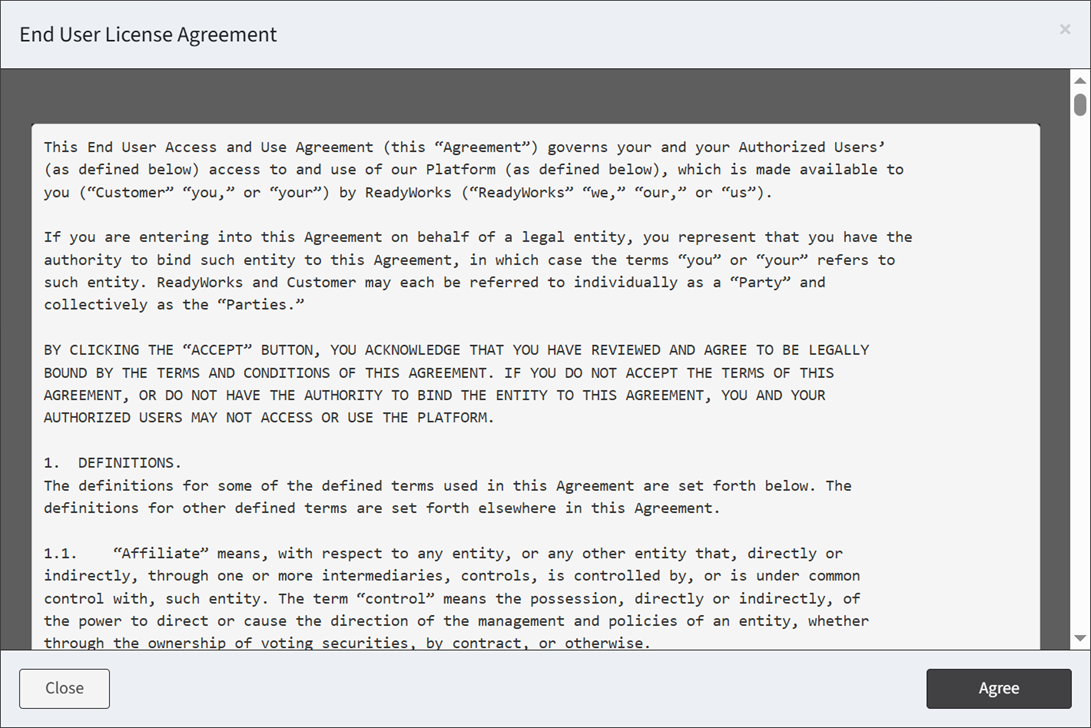
- Click the Preview button to preview the form before saving. Click the Close button to exit the form preview.
- Click the Create button when finished to create the notification. You will be redirected back to the Notifications page. Click the Close button to cancel the operation.
- The copy function is only available to users in the Administrator security group