The Group Mappings tab provides the ability to view and configure the mappings between ReadyWorks User Security Groups and their associated Security Groups on an Okta SAML provider.
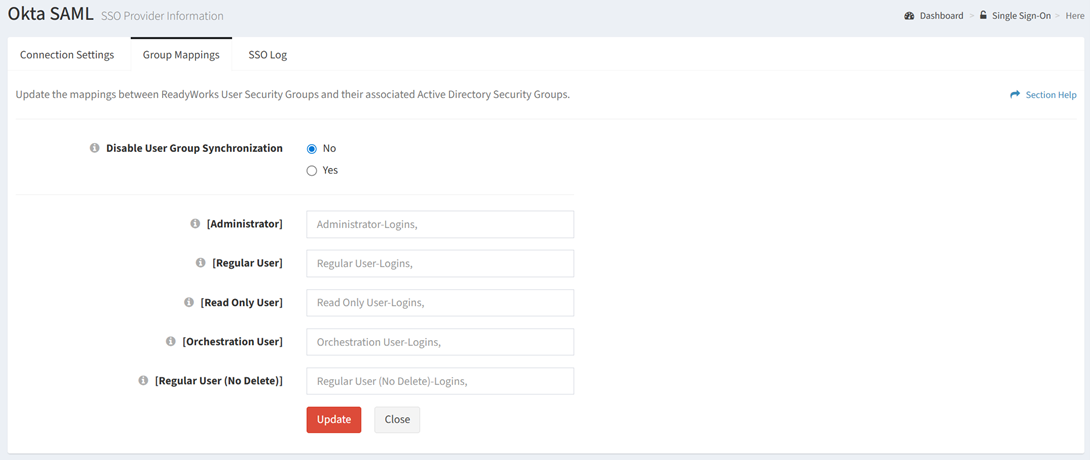
Available operations:
- View and update the group mappings
- Fields available
- Disable User Group Synchronization – Choose if a user’s security group automatically changes to match the identity provider’s group claims upon SSO login
- [Administrator] – Partial CN of the [Administrator] ReadyWorks Security Group
- [Regular User] – Partial CN of the [Regular User] ReadyWorks Security Group
- [Read Only User] – Partial CN of the [Read Only User] ReadyWorks Security Group
- [Orchestration User] – Partial CN of the [Orchestration User] ReadyWorks Security Group
- [Regular User (No Delete)] – Partial CN of the [Regular User (No Delete)] ReadyWorks Security Group
NOTE: Non-system Security Groups are listed as additional fields.
Update Group Mappings
From the Group Mappings tab, you can update the group mappings. To update:
- Enter or select a value for each group mapping setting
- Click the Update button to save your group mappings