From the History tab, you can view the history of the attachment.
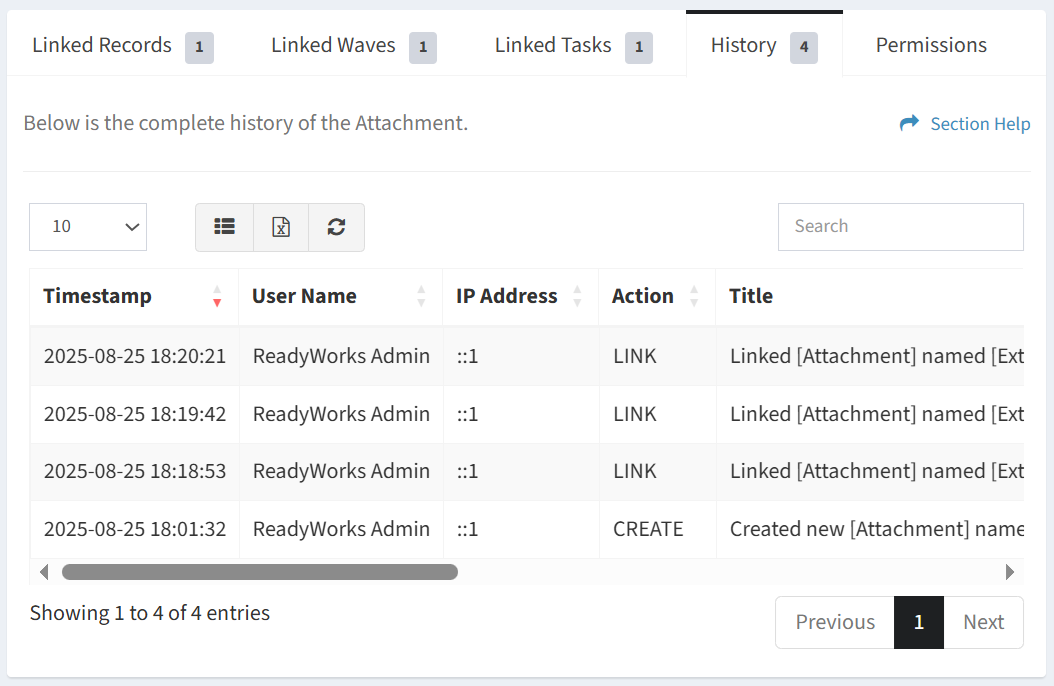
Available operations:
- View the history of the attachment
- Columns available
- Timestamp – Date and time the event was logged
- User Name – User who initiated the event
- IP Address – Address the user initiated the event from
- Action – Action completed (link, create, etc.)
- Title – Title of the event
- Details – Details of the event
- Item Module – System name of the source module of the event (wave, task, attachment, etc.)
- Item Name – User entered name of the source module item (e.g. Wave XYZ)
- Link Module – System name of the target (linked) module of the event (wave, task, attachment, etc.)
- Link Name – User entered name of the target (linked) module item (e.g. Wave XYZ)
- You can also change the number of visible rows in the table, set column visibility, export to CSV or Excel, refresh the table, and search for text