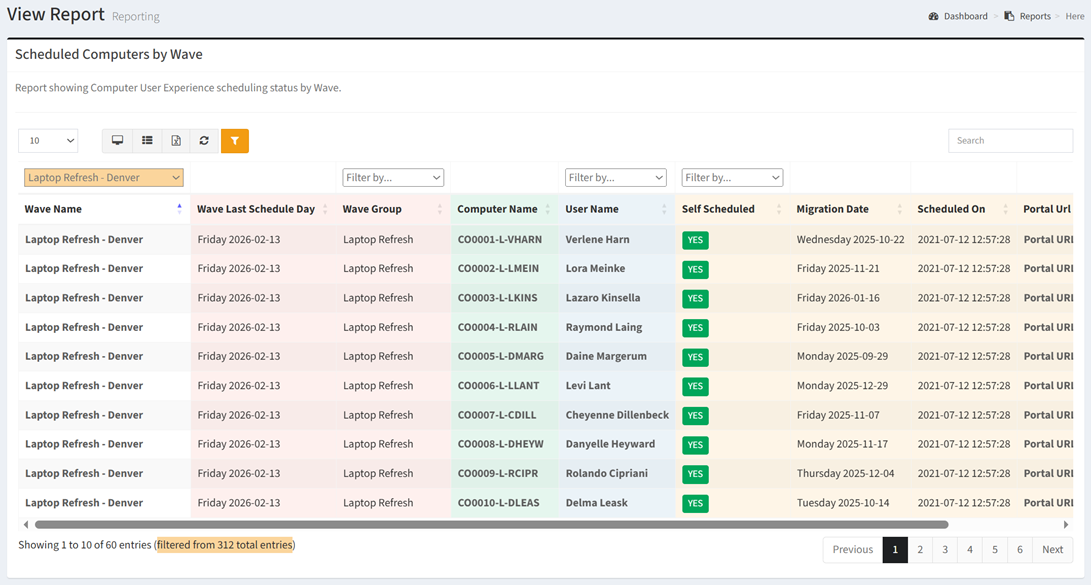
The Scheduled Computers by Wave report shows Computer User Experience scheduling status by Wave.
| Data Types | Required Data Columns |
| Computer | None |
| User | None |
Available operations:
- View a list of computers by user experience scheduling status
- Columns available
- Wave Name – Name of the wave
- Filter by wave names or Undefined (no wave assigned)
- Wave Status (hidden by default) – Status of the wave (Not Started, In Progress, Complete, Delayed, Failed)
- Wave Start Goal (hidden by default) – Estimated start date and time of the wave
- Wave End Goal (hidden by default) – Estimated end date and time of the wave
- Wave Last Schedule Day – Date of the last available user experience schedule day in the wave
- Wave Group – Name of the wave group to which the wave is assigned
- Filter by wave group names or Undefined (no wave group assigned)
- Computer Id (hidden by default) – System Id of the computer record
- Computer Name – Name of the computer record
- Computer Data Type Specific Columns – Columns specific to the computer data type
- User Id (hidden by default) – System Id of the user record
- User Name – Name of the user record linked to the computer record
- Filter by Defined (linked user record) or Undefined (no linked user record)
- User Data Type Specific Columns – Columns specific to the user data type
- Self Scheduled – Whether the user self scheduled
- Filter by Yes, No, or Undefined
- Migration Date – Date of the schedule migration task
- Scheduled On – Date the user scheduled
- Portal URL – Unique portal URL for the portal user to access the portal
- Portal Last Visit – Date the portal user last logged in to the portal
- Wave Id (hidden by default) – System Id of the wave
- Wave Status Color (hidden by default) – Color of the wave status
- You can also change the number of visible rows in the table, view full screen, export to CSV or Excel, refresh the table, and search for text