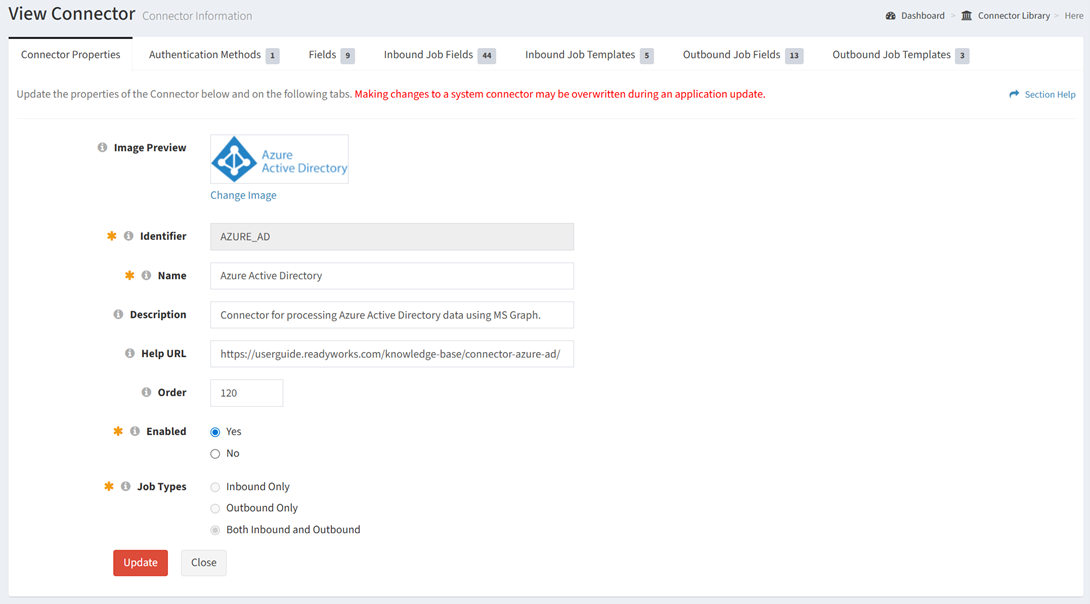
The Connector Properties tab provides the ability to view and update the properties of connectors.
Available operations:
- View and update the properties of the connectors
- Fields available
- Image Preview – Image to display in the Connector Library (optional)
- Click the Change Image hyperlink and browse for an image to upload


- Click the Update button to upload the image. Click the Clear Selected File hyperlink to clear the file and browse for a new image. Click the Cancel Changes hyperlink to cancel the operation.
- Identifier – Identifier of the connector (read only)
- Name – Name of the connector (required)
- Description – Description of the connector (optional)
- Help URL – Help URL of the connector (optional)
- Order – Order the connector is displayed in the Connections page (optional)
- Enabled – Whether the connector is enabled (required)
- Job Types – Type of the jobs available for the connector (required)
- Inbound Only
- Outbound Only
- Both Inbound and Outbound
- The view and update functions are only available to users in the Administrator security group
- Click the Update button to save any changes to the properties
- Click the Close button to exit the wizard