From the Strategizer page, you can create VirtualReady strategies. To create:
- Click the New Strategy button to bring up the New Strategy dialog
- Enter the properties of the new strategy
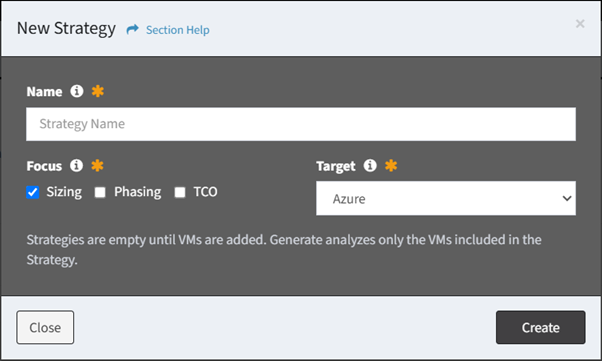
- Name – Name of the strategy (required)
- Focus – Areas of focus of the strategy (required)
- Sizing – Capacity footprint (default)
- Phasing – Migration planning and wave sequencing
- TCO – Target cost analysis
- Target – Destination platform of the strategy (required)
- Azure – Migration to Azure using Azure Migrate (default)
- Nutanix – Migration to Nutanix using Nutanix Move
- OpenShift – Migration to OpenShift using OpenShift MTV
NOTE: The migration tool is resolved from the source and target pair. VMware is the only migration source currently supported.
- Click the Create button when finished to create the strategy. You will be redirected back to the Strategizer page. Click the Close button to cancel the operation.
- The new strategy function is only available to users in the Administrator security group