The Connections page provides the ability to manage VirtualReady connections.
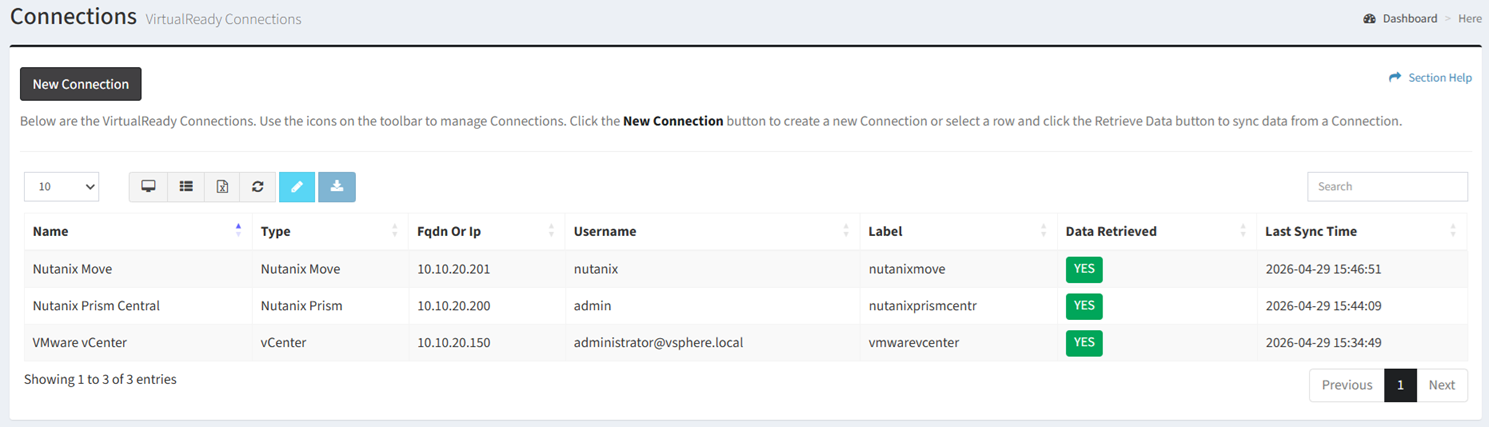
Available operations:
- Create new connections by clicking on the New Connection button
- View a list of connections in ReadyWorks
- Columns available
- Id (hidden by default) – System Id of the connection
- Name – Name of the connection
- Type – Type of the connection (vCenter, RVTools, Nutanix Prism, Nutanix Prism Legacy, Nutanix Move, Nutanix Collector)
NOTE: RVTools and Nutanix Collector are file-based imports rather than live connections. - FQDN or IP – Fully qualified domain name or IP address of the VMware/Nutanix management consoles
- Username – User account used to connect to the VMware/Nutanix management consoles
- Label – Unique label used as ETL table prefix for the connection jobs
- ETL Label SOAP (hidden by default) – Unique label used as ETL table prefix for the connection jobs (vCenter only)
- Date Created (hidden by default) – Date the connection was created
- Date Updated (hidden by default) – Date the connection was last updated
- Data Retrieved – Whether data has been synced from the connection
- Last Sync Time – Date data was last synced from the connection
- Edit connections by selecting a connection (row) and clicking the Edit Connection button on the toolbar
- Retrieve data from connections by selecting a connection (row) and clicking the Retrieve Data button on the toolbar
- Delete migrations by selecting a migration (row) and clicking the Delete Connection button on the toolbar
- You can also change the number of visible rows in the table, view full screen, set column visibility, export to CSV or Excel, refresh the table, and search for text
In this section