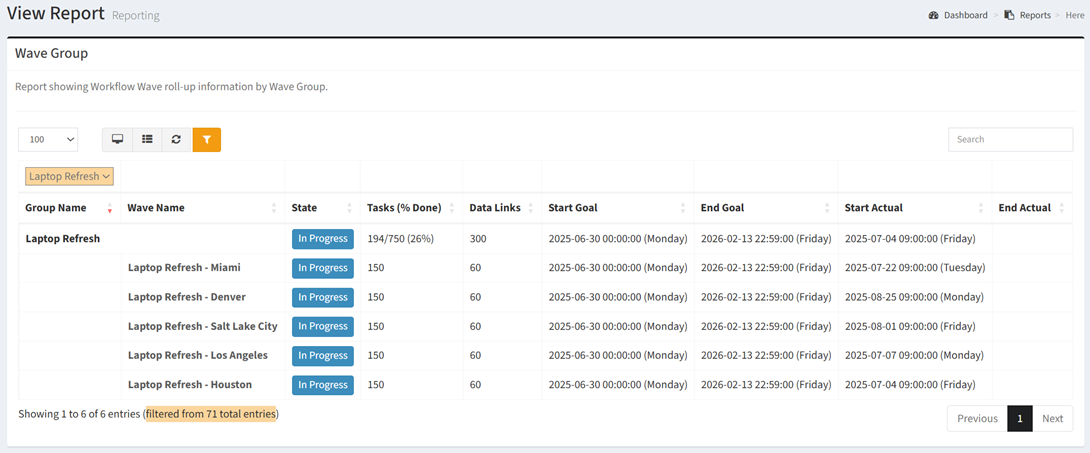
The Wave Group report shows Wave Group information and status.
| Data Types | Required Data Columns |
| Any | None |
Available operations:
- View a list of waves grouped by wave group
- Columns available
- Group Name – Name of the wave group
- Wave Name – Name of the wave
- State – Status of the wave (Not Started, In Progress, Complete, Delayed, Failed)
- Tasks (% Done) – Total number of tasks complete divided by total number of tasks (also shown as a percentage)
- Data Links – Total number of data records linked to the wave
- Start Goal – Estimated start date and time of the wave
- End Goal – Estimated end date and time of the wave
- Start Actual – Actual start date and time of the wave (empty until a wave task has been started or completed)
- End Actual – Actual end date and time of the wave (empty until all wave tasks have been completed)
- You can also change the number of visible rows in the table, view full screen, export to CSV or Excel, refresh the table, and search for text