NOTE: The legacy bulk editor was deprecated in version 7.6.0110.
From the Assets page, you can edit the properties of assets in bulk. To edit:
- Click the Bulk Edit button on the toolbar to bring up the bulk editor dialog

- The bulk edit function is only available to users in the Administrator and Regular User security groups
- Edit the properties of the assets
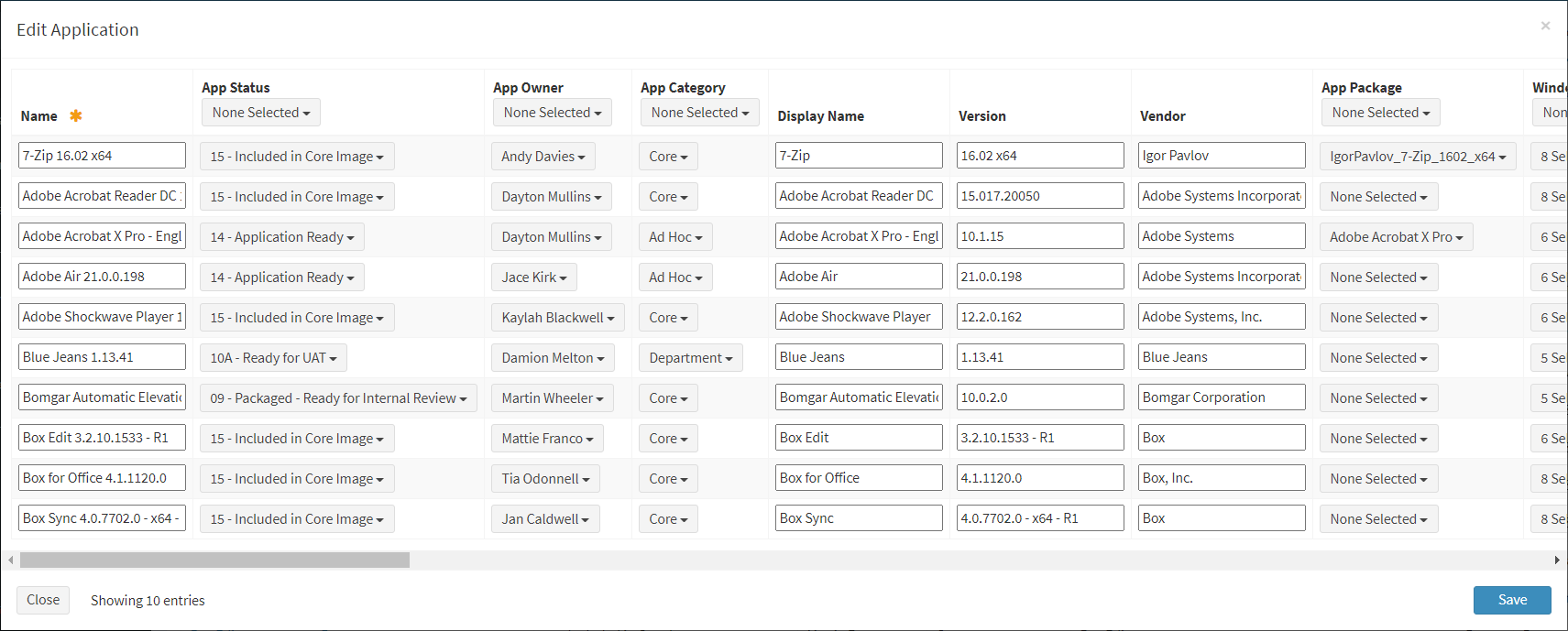
- Name – Name of the asset (required)
- Asset Specific Columns – Columns specific to the asset type
NOTE: Lookups with a large number of items will be converted from a normal drop down menu to a dialog. Date and time fields always load in 24hr format. Date and time fields can be copied and pasted in 12hr (AM/PM) format. - Fill down lookup, checkbox and select data columns using the menu drop down above the columns
- Select a value or multiple values (multilookup) from the menu drop down
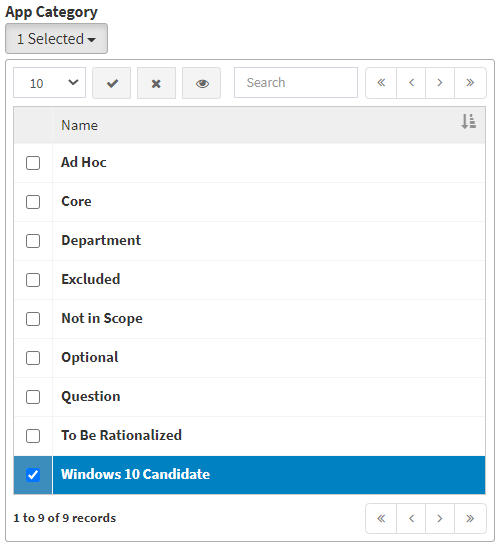
- Click the
 button to apply changes to the data column
- Click the
 button to clear all selections (values) in the data column
NOTE: Checkbox values cannot be cleared. - Click the
 button to show the selected value(s) in the menu drop down
- Click the Save button when finished to update the assets. Click the Close button to cancel the operation.