Table of Contents


The View Security Group page provides the ability to view the properties of a security group and is accessed by clicking the hyperlink of the security group Name field. The page can be accessed from the Security Groups tab.
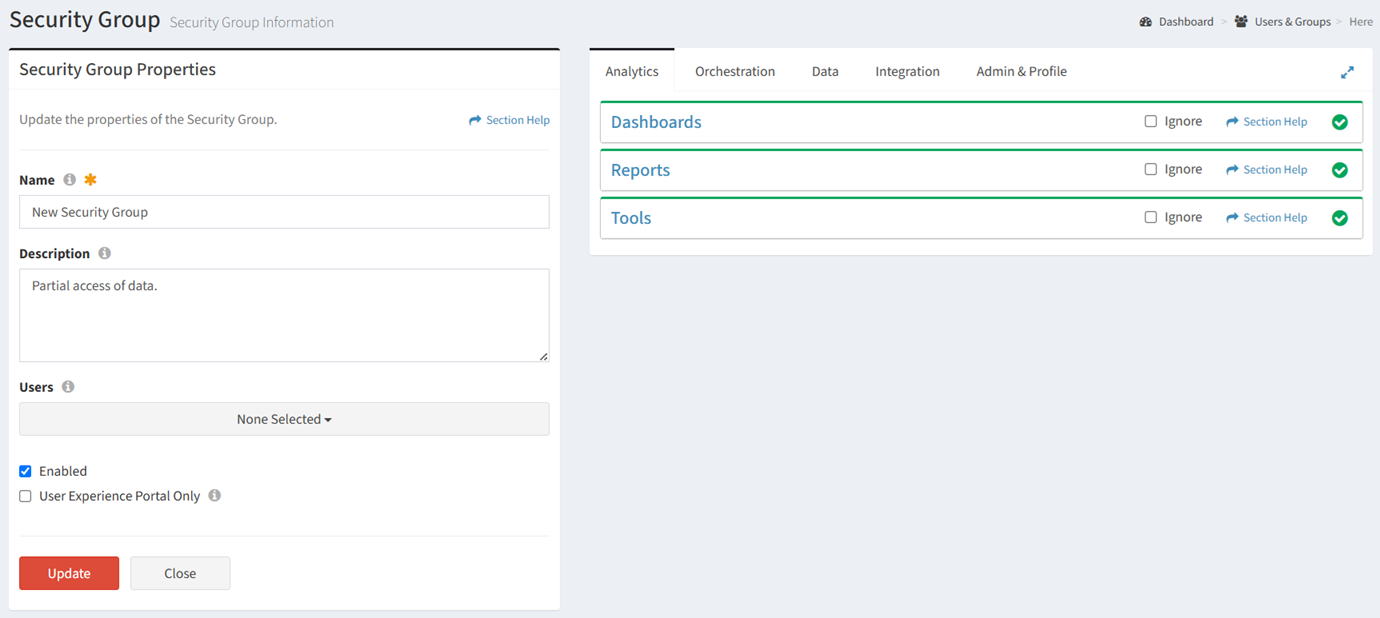
Available operations:

AnalyticsOrchestrationDataIntegrationAdmin & ProfileAsset Management
DashboardsWavesAttachmentsData MappingConfiguration & Logs[5]Asset Check-In
ReportsWave TypesTools[3]ETLProfileAsset Check-Out
Tools[1]Wave GroupsDataImport[4]Install Part in Server
TasksInstall Server in Rack
Task TypesAsset Uninstall/Deco
Task PriorityReady for Disposal
RulesDisposal
Tools[2]
  1. Analytics Tools includes Reports Configuration and Charts & Dashboards.
  2. Orchestration Tools includes Action Buttons, Form Builder, User Experience, T-Comm On Demand, Templates (Action, T-Comm, Task Chain), and Schedule (Calendar, Gantt Chart).
  3. Data Tools includes Rationalization and Data Generator.
  4. Import includes Data Import and Orchestration Import.
  5. Configuration & Logs includes Event Logs, Users & Groups, Data Types, Options, and Module Settings.

NOTE: The module permissions for version 7.x are documented below.

Roles & PermissionsWorkflowAssetsAsset Management
DashboardsWavesAsset ToolsAsset Check-In
SCCMWave TypesAssetsAsset Check-Out
AttachmentsWave GroupsInstall Part in Server
ReportsTasksInstall Server in Rack
Self ServiceTask TypesAsset Uninstall/Deco
Configuration & LogsTask PriorityReady for Disposal
ProfileScheduleDisposal
Templates
Workflow Tools

In this section

Last updated on 11/4/2026

Attachments