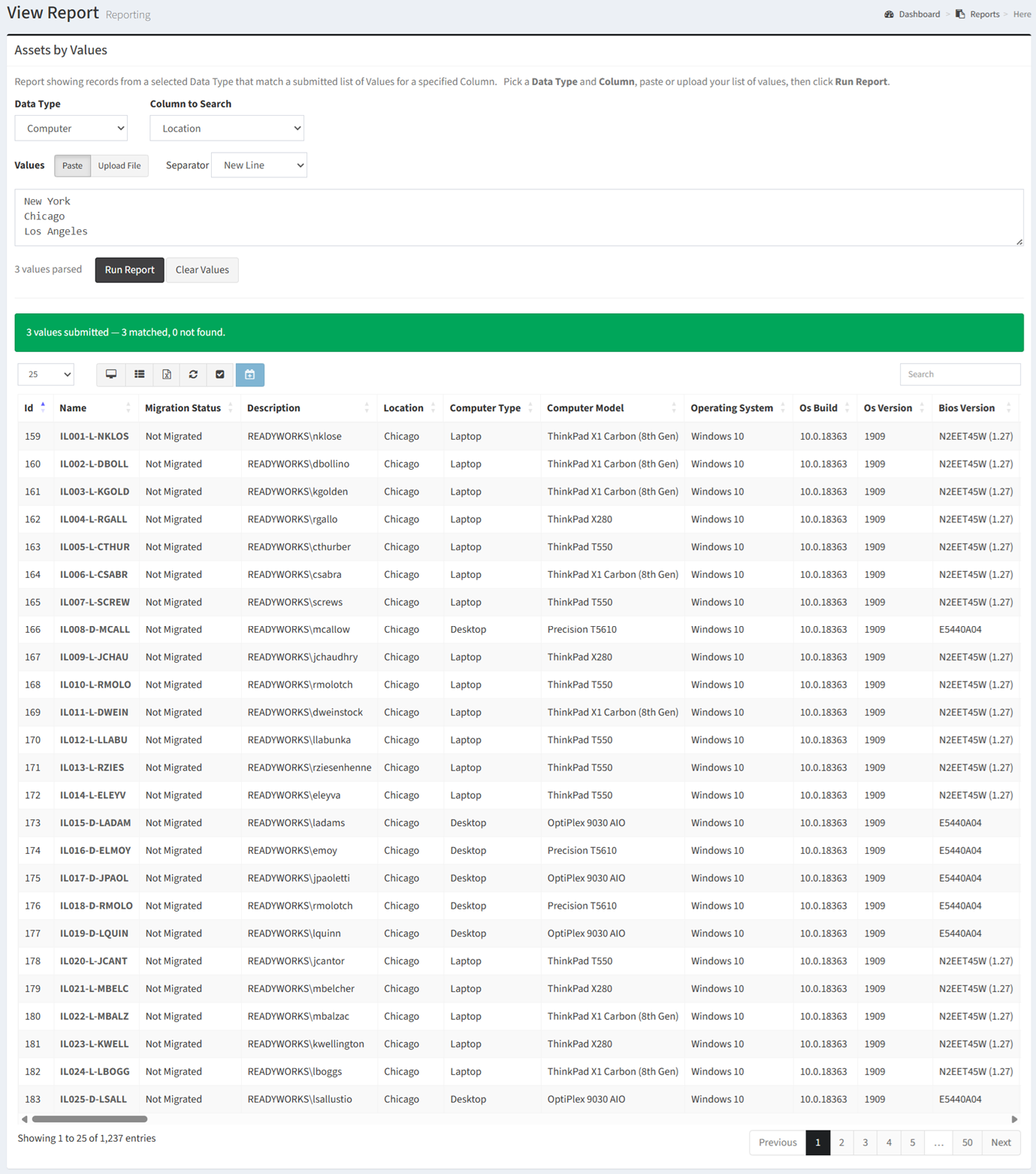
The Assets by Values report shows records from a selected data type that match a submitted list of values for a specified column.
| Data Types | Required Fields |
| Any | None |
Available operations:
- To run the report, choose a data type (e.g. Computer, User) from the Data Type drop down, select a data column (e.g. Location, Computer Model) from the Column to Search drop down, past or upload your list of values and click the Run Report button
- View a list of all data records from a selected data type that match a submitted list of values for a specified column
- Columns available
- Id – System Id of the data record
- Name – Name of the data record
- Data Type Specific Columns – Columns specific to the data type (data column)
- Waves – Waves the data record is assigned to
- Assign data records to a wave
- Select all records (rows) on the page by clicking the Select All button on the toolbar
- Deselect all records (rows) on the page by clicking the Deselect All button on the toolbar
- You can also change the number of visible rows in the table, view full screen, set column visibility, export to CSV or Excel, refresh the table, and search for text