In order to enable the sending of emails from ReadyWorks, it must first be configured to connect to your SMTP server. To configure SMTP:
- Right click on the ReadyWorks Server icon
 in the Windows system tray and select PHP -> php.ini on the ReadyWorks Server menu to open the first file for editing
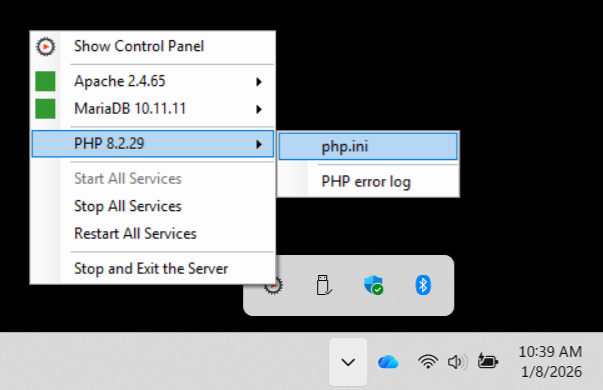
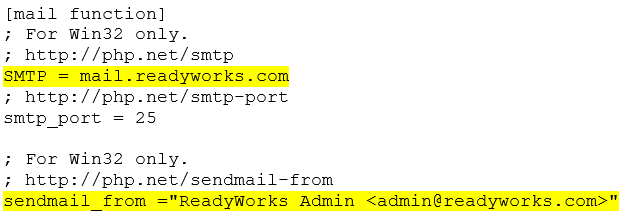
- Search for SMTP in the php.ini file
- Edit the DNS name of your SMTP server and the send from email address and save the file
NOTE: The Email Settings tab on the Email page provides the ability to view and configure email settings.