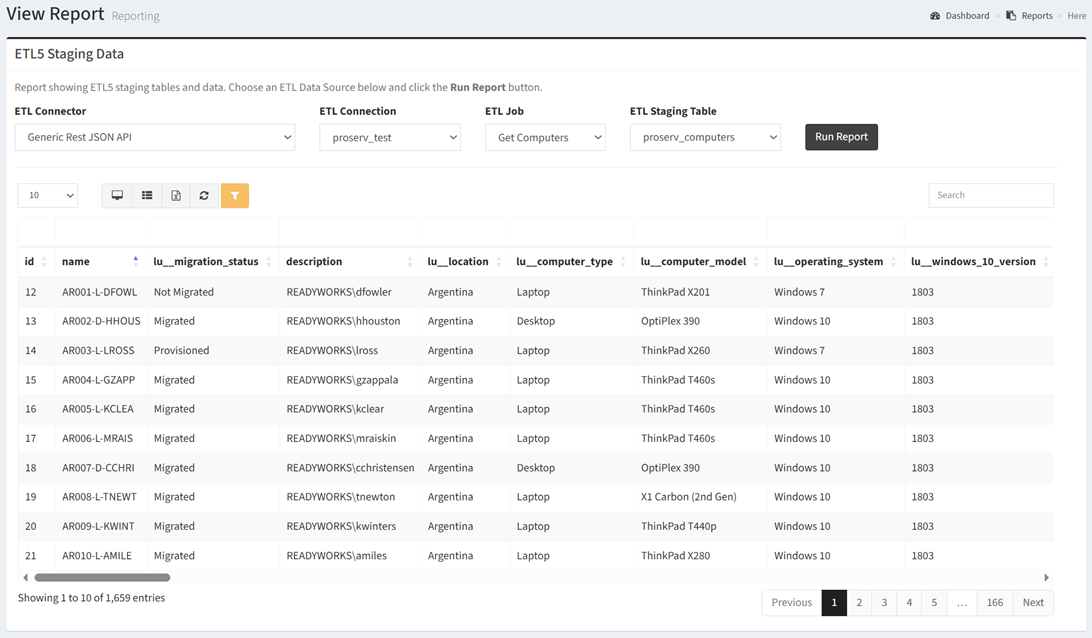
The ETL5 Staging Data report shows ETL5 staging data.
| ETL Data Sources | Required Fields |
| Any | None |
Available operations:
- To run the report, choose a connector from the ETL Connector drop down, choose a connection from the ETL Connection drop down, choose a job from the ETL Job drop down, choose a staging table from the ETL Staging Table drop down and click the Run Report button.
- View a list of ETL5 staging data
- Columns available
- ETL Data Source Specific Columns – Columns specific to the ETL data source
- You can also change the number of visible rows in the table, view full screen, export to CSV or Excel, refresh the table, and search for text